

Last week's PHP security update was a reminder that the software under a website changes on its own schedule. Most of the time a well-managed site absorbs that quietly. Preparedness is about the rarer days when it cannot, and the best place to start is a business question rather than a technical one.
If your website stopped working this morning, how long could your business carry on before it really hurt?
Not every part of your site matters equally
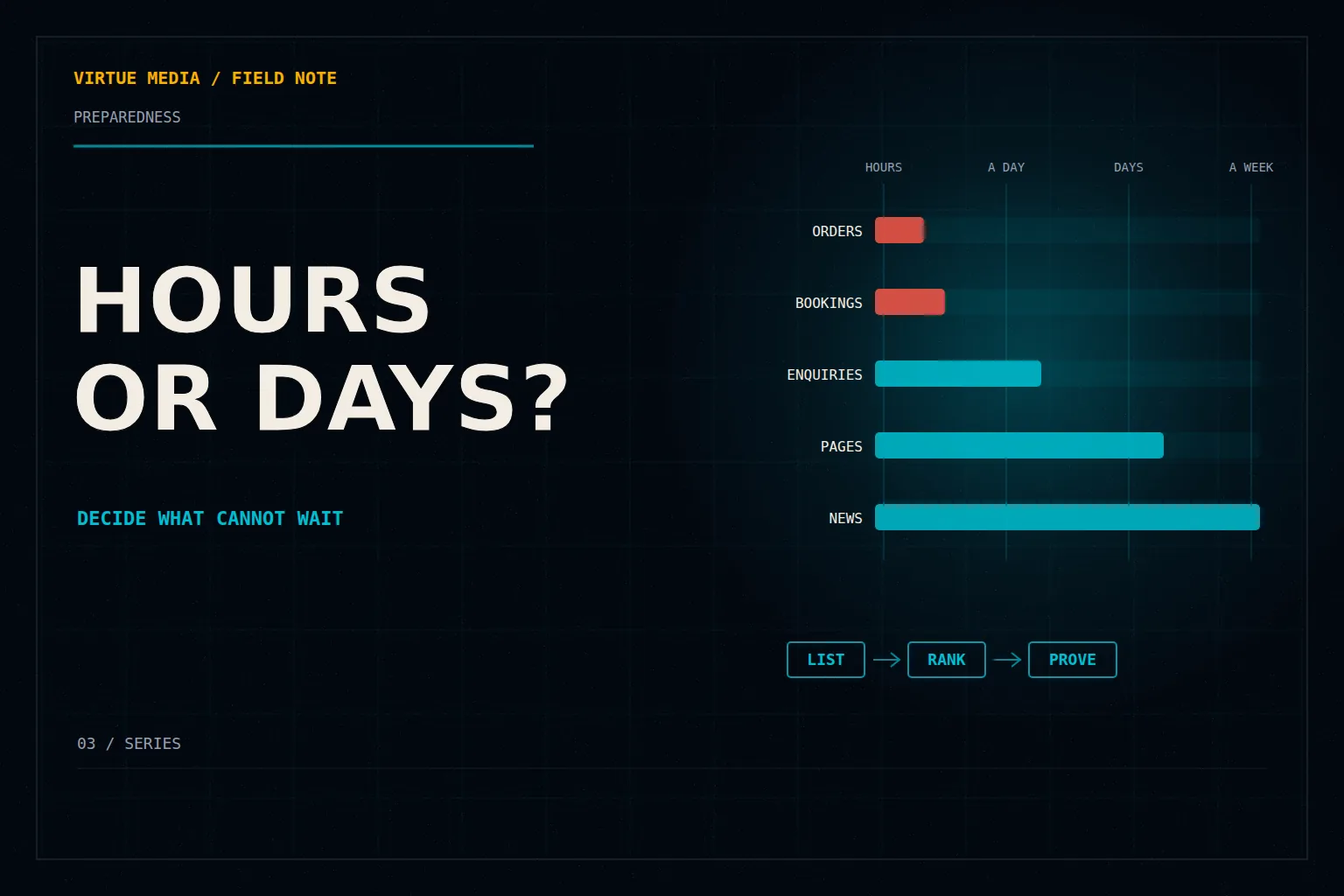
A website does several jobs at once, and they do not carry the same weight. An online shop losing its checkout for an afternoon is a real cost. The same shop losing its blog for a day is barely noticed. A clinic that takes bookings online feels an outage within the hour, while its "about us" page could wait a week.
So the first step is to list what your website actually does for the business, then decide how long each job could be down before it causes real harm. Be honest and specific. "The booking form, two hours" is useful. "Everything, immediately" is not, because it gives the people looking after your site nothing to prioritize.
Teaching chart / example business
What can wait, and what cannot
- Checkout and ordersCan wait: A few hours
- Online bookingsCan wait: A few hours
- Contact formCan wait: About a day
- Service pagesCan wait: A few days
- Blog and newsCan wait: A week or more
Decide how much you could afford to lose
The second question is about information rather than time. If your site had to go back to an earlier copy, how much recent activity could you live without? For a brochure site that changes monthly, losing a day may be manageable, depending on what changed. For a shop taking orders all day, or a membership site where people sign up and pay, even a few hours of lost records means refunds, apologies and manual work.
Your answer tells your provider how often your site should be backed up and how far back those copies need to reach. It turns a vague wish for "good backups" into a standard someone can meet and show you.
Write both answers down side by side: how long each part of the site can be down, and how much recent activity you could lose. Together they make a one-page brief that anyone looking after your site can work from. Revisit it when the business changes, for example when you start selling online or add bookings.
Recovery should be something you have seen work
Plenty of businesses have backups that nobody has ever restored. A backup only proves its worth when someone brings it back and the site works. A good provider tests this regularly, in a private copy that never touches your live site or emails your customers, and can tell you how long a recovery takes.
You do not need to run that test yourself. You should feel comfortable asking for the result. "When did you last confirm my site can be recovered, and how long did it take?" is a fair question, and a capable team will have the answer.
Keep the keys in the business's name
The last piece is ownership. Your domain name, your hosting account and your website's main logins should belong to the business, not to one employee or a past contractor. Each person who needs access should have their own login with only the access they need. And someone you trust should know how the business would get back in if the usual person were unavailable.
None of this is complicated, but it is easy to put off. An hour spent on these answers now makes a hard day much shorter later.
If you would like help setting these priorities, or want to know how your recovery plan stands, talk to us. Recovery readiness is part of how we look after every WordPress site in our care.
0 Comments